
Animation & Effects Settings
The Animation & Effects Settings enables you to enhance site interactivity and aesthetics through customisable preloaders, transition effects, lazy loading, and page skeletons. This improves perceived performance, visual appeal, and user experience.
Accessing Animation & Effects Settings
- Login to your WebCommander account.
- Navigate to Settings from left menu.
- Navigate to Animation & Effects.
- Click and adjust the available options as per your preferences.
Preloader Design Settings
You can change the behaviour of the loader of a page before page contents show.
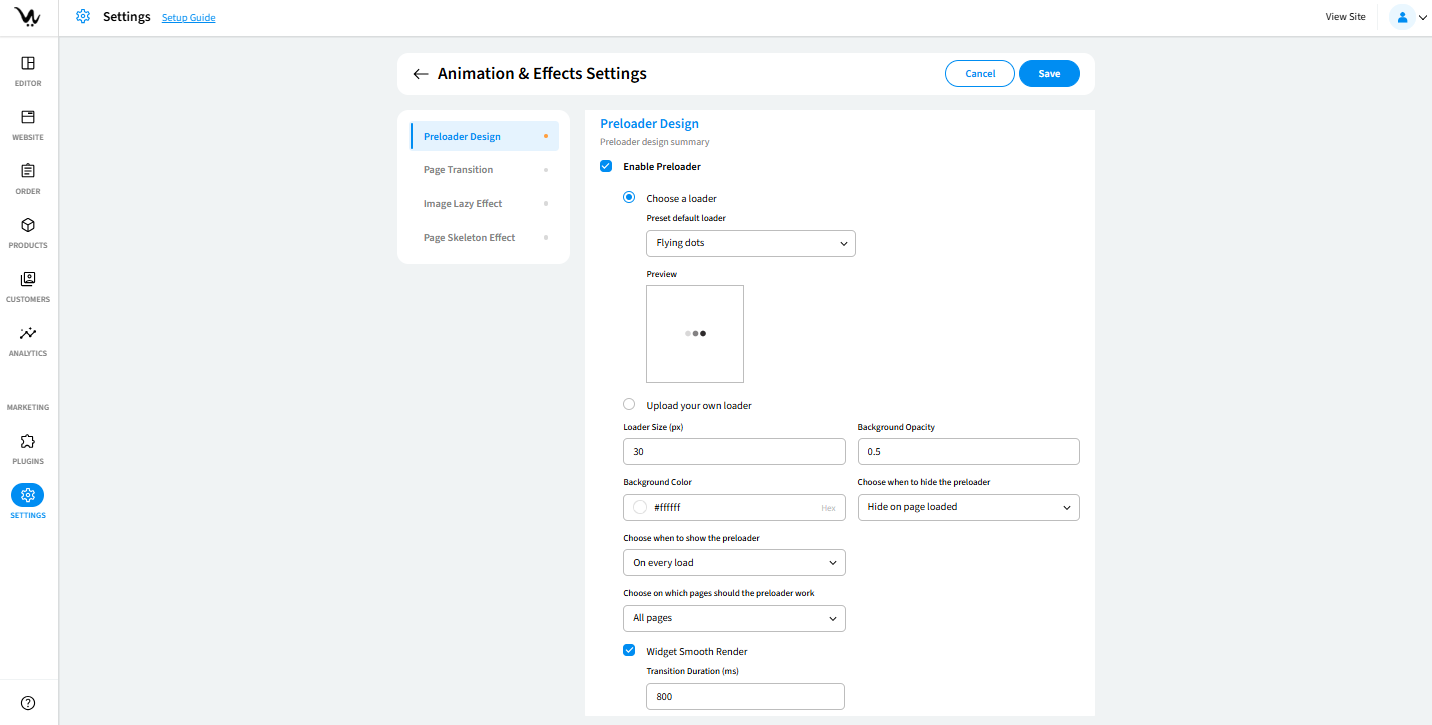
- Enable Preloader: Turn this option on to activate preloader effects.
- Choose a Loader: Select from a list of animated loader styles.
- Upload Custom Loader: You can upload your own loader in GIF, PNG, JPG, or SVG format.
- Loader Size: Define the size of the preloader in pixels (numeric value).
- Background Opacity: Enter a value between 0 and 1 to adjust the transparency level.
- Background Color: Pick a color using HEX, RGB, or HSL format.
- Choose when to hide the preloader: Choose when the preloader disappears from "On page load" and "After X seconds"
- Choose when to show the preloader from "On every load", "Once per user session", and "Once per user session (per page)"
- Choose on which pages should the preloader work from "All Pages: Enable everywhere." and "Selected Pages: Specify individual pages."
Page Transitions
You can choose a transition effect when moving from one page to another.
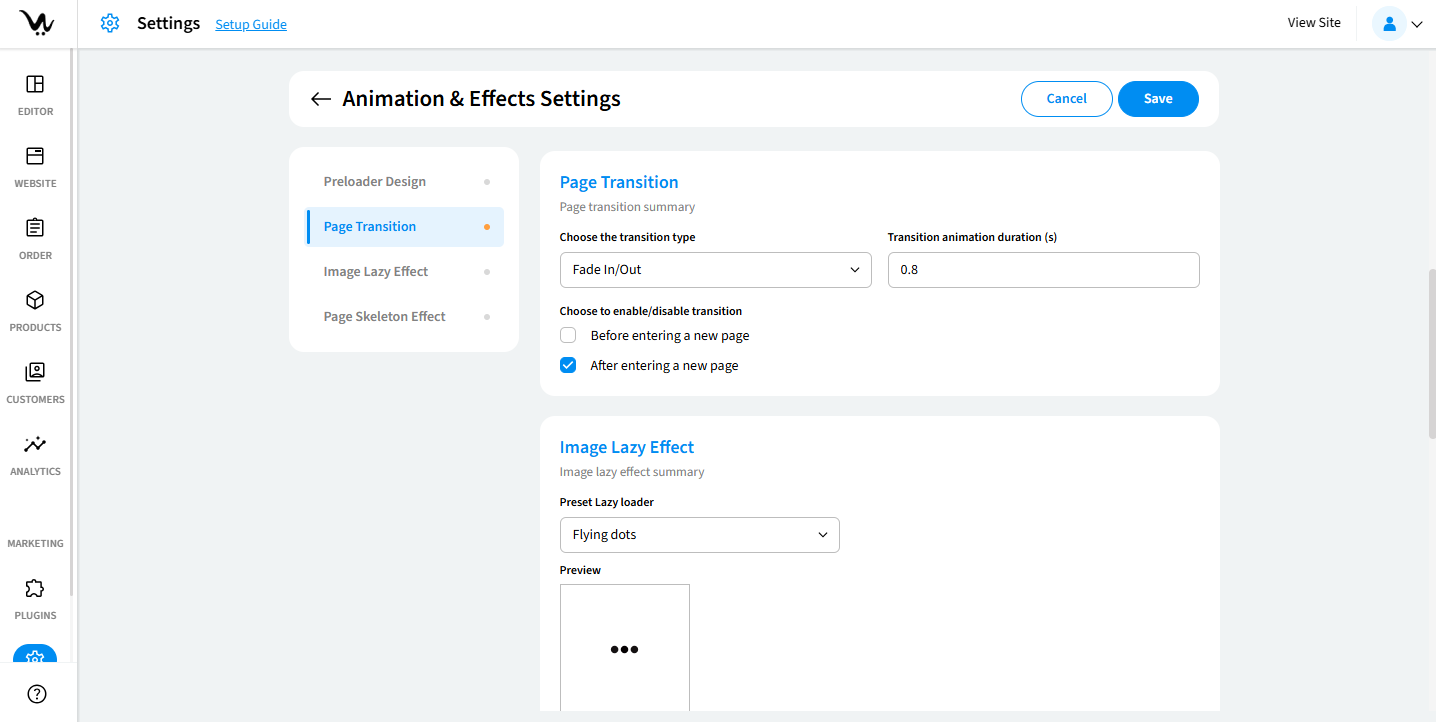
- Choose the transition type.
- Transition animation duration(s): Enter the animation duration in seconds (from 0.1 to any number).
- Choose to enable/disable transition.
Image Lazy Effect
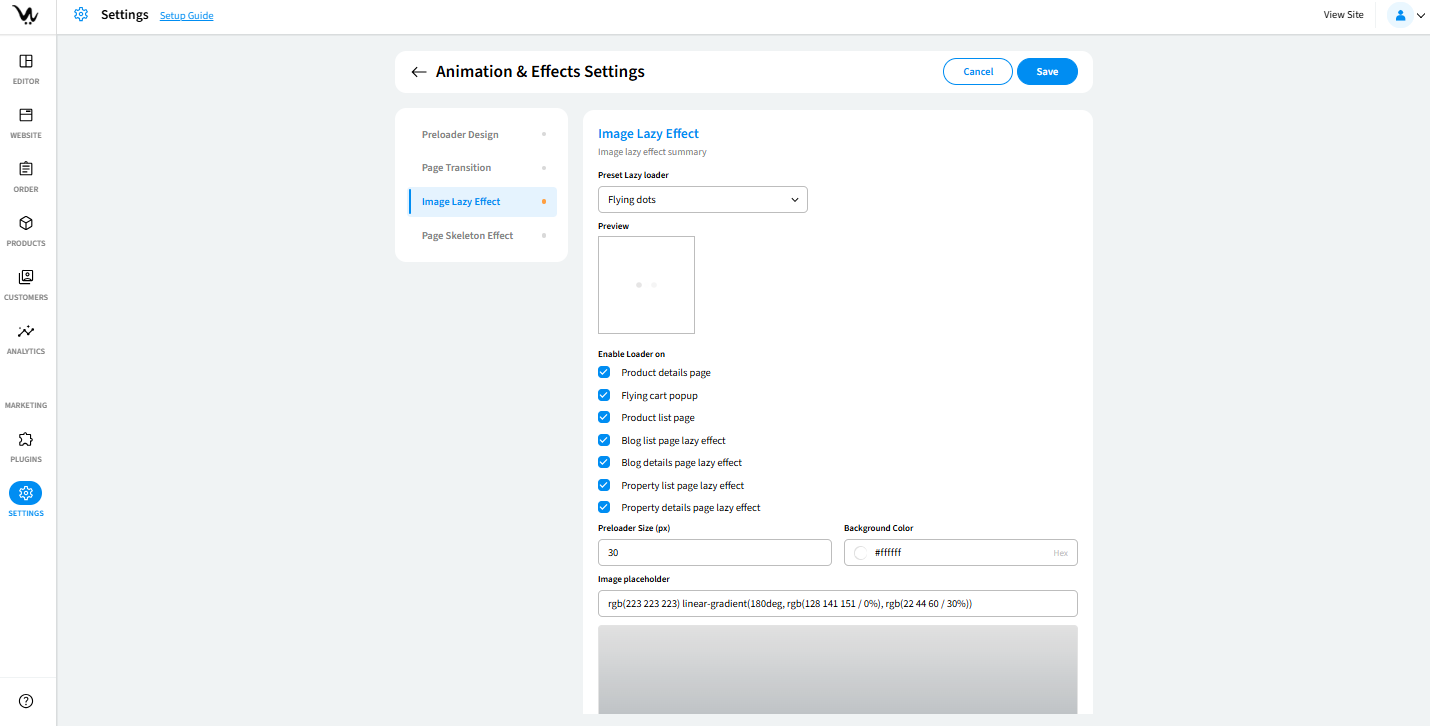
- Preset Lazy Loader: Pick from same loader styles as the preloader or select “No loader.”
- Enable Loader On:
- Product details page
- Flying cart popup
- Product list page
- Blog list page lazy effect
- Blog details page lazy effect
- Property list page lazy effect
- Property details page lazy effect
- Preloader Size(px): Define the size of the lazy loader in pixels.
- Background Color: Set a background color for lazy loading.
- Image Placeholder: Set a placeholder image while content loads.
Page Skeleton Effect
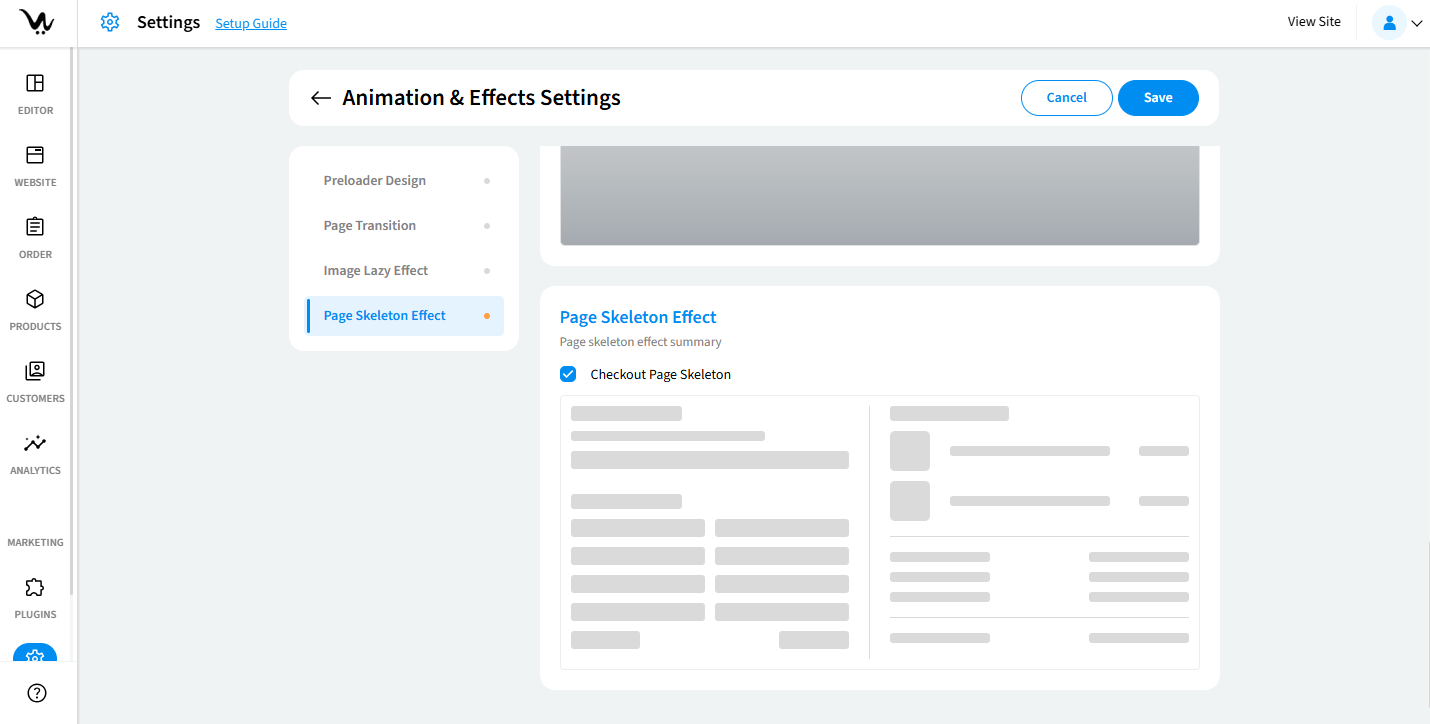
- Checkout Page Skeleton: Activates shimmer-like placeholder for fast-loading visual cues.
Troubleshooting Guide
- Preloader not showing: Ensure it's enabled and applied to the correct pages.
- Custom loader not displaying: Check file format (use GIF, PNG, JPG, SVG only).
- Transitions not applying: Confirm selected animation and duration values.
- Lazy loader not working: Make sure effects are enabled for specific pages.
- Background or opacity not visible: Verify HEX/RGB color input and numeric values.
